Organizer Settings
You can configure the Organizer by customizing the size and look of project items, adding root folders, setting-up mandatory and optional project tags, and enabling sharing. Maintenance items, such as rebuilding the database, are also available in the Organizer Settings dialog.
Click the Settings button  on the left sidebar to open the Organizer Settings dialog, shown below.
Organizer Settings dialog
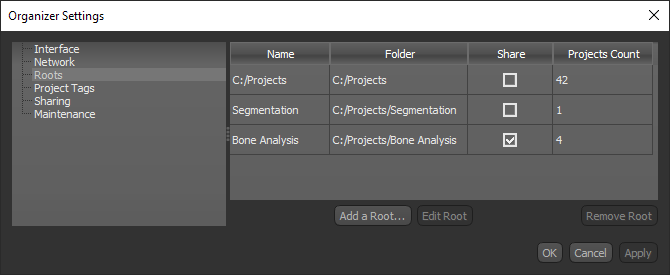
Interface… Lets you customize the size and look of project items (see Customizing the Interface).
Network… Lets you view your current IP address and specify a server port (see Configuring the Network Settings).
Roots… Lets you add and edit root folders (see Adding and Editing Root Folders).
Project Tags… Lets you setup tags that are mandatory or optional when a new project is created (see Setting Up Project Tags).
Sharing… Lets you enable sharing (see Enabling Sharing).
Maintenance… Lets you rebuild the database (see Rebuilding the Database).
